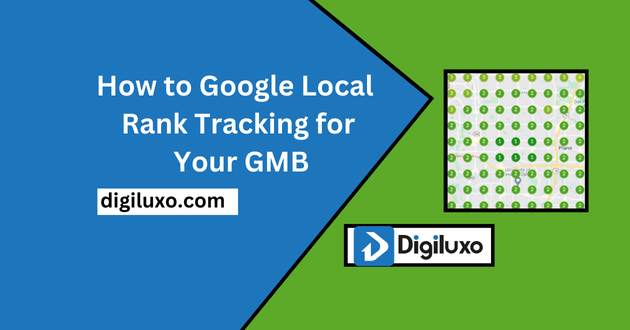
Tracking your Google My Business (GMB) ranking is essential to understand how your business is performing in local search results. By using a Google local rank tracker, you can monitor the position of your business for relevant local keywords. This will help you identify changes in your ranking and adjust your SEO strategy accordingly. With Google local rank tracking, you can stay ahead of competitors and ensure that your business is visible to potential customers in your area.
Why Do You Need to Track Rankings for Local Keywords?

Tracking local keyword rankings is vital because it allows businesses to gauge how well they are performing in their local market. When your business ranks higher for local keywords, it increases visibility, drives more foot traffic to your physical location, and improves online lead generation. Monitoring your ranking helps you refine your local search engine optimisation efforts, allowing you to maintain or improve your position on Google Maps and other local search results.
Which Is the Best Local Rank Tracking Tool?
Choosing the best local rank tracking tool can significantly enhance your ability to monitor local search performance. Some of the most reliable tools include BrightLocal, Whitespark, and SEMrush. These tools allow you to track your rankings on Google Places and other local platforms, ensuring you stay informed about changes in your local search presence and can make data-driven decisions.
Why Do You Need to Optimize for Local Search Engine Optimization?
Local Search Engine Optimisation is crucial for businesses looking to attract customers within a specific geographic area. By optimising your website and GMB profile for local SEO, you increase the chances of being found by people searching for products or services in your area. This strategy not only boosts your visibility but also helps drive highly targeted traffic to your business, improving conversion rates and fostering long-term customer relationships.
How to Outrank Local Search Competitors for Your Business
To outrank your local search competitors, it is crucial to focus on several key aspects of Local Search Engine Optimization (SEO). First, ensure that your Google My Business (GMB) profile is fully optimized with accurate business information, such as name, address, phone number, and operating hours. Including relevant local keywords in your GMB description will improve your chances of appearing in local search results.
Next, collect and manage customer reviews. Positive reviews signal trustworthiness and help improve your rankings. Make it a habit to respond to reviews, both positive and negative, to boost engagement.
Building local backlinks is another essential factor. Get involved in local community events or partner with nearby businesses to earn quality backlinks. These links will boost your credibility in Google’s local algorithms.
Content plays a significant role as well. Focus on creating location-specific content that targets local searchers. This could include blog posts, service pages, or news updates about local events or community involvement.
Lastly, use a local rank tracking tool such as BrightLocal or Whitespark to monitor your position in local search and adjust your strategy accordingly. By focusing on these local SEO tactics, you’ll be well-positioned to outrank competitors and attract more customers to your business.
How to Perform Local SEO Research
Local SEO research is essential for optimisation your business to attract customers from specific geographic areas. Here’s a step-by-step guide on how to conduct effective local SEO research:
1. Identify Relevant Local Keywords
Start by identifying local keywords that your target audience is using. Use tools like Google Keyword Planner or SEMrush to find keywords related to your products or services, adding location-specific terms. Focus on long-tail keywords, such as “best bakery in New York City” or “plumber near me.”
2. Analyze Competitors
Examine the websites and Google My Business (GMB) profiles of your local competitors. Pay attention to the keywords they’re using, the types of content they create, and how they optimize their GMB listings. Tools like Ahrefs or SpyFu can help you analyze their backlink profiles and discover new keyword opportunities.
3. Optimize Your Google My Business Profile
Ensure your GMB profile is complete with accurate business information and local keywords. Add high-quality images, list your services, and encourage customer reviews to improve your visibility in local search results.
4. Study Local Search Trends
Use tools like Google Trends to understand the search behavior in your area. This will help you stay up-to-date with seasonal trends or events that could influence local searches for your industry.
5. Monitor and Adjust
Regularly use a local rank tracking tool such as BrightLocal to monitor your performance for local keywords. Continuously optimize based on the data you gather, refining your strategy to stay ahead of local competitors.
By following these steps, you can develop an effective Local SEO strategy that targets the right keywords and helps your business appear in local searches.
Why You Need Local Citations
Local citations are critical for improving your business’s visibility in local search results. A local citation is any mention of your business’s name, address, and phone number (NAP) on other websites, such as online directories, social media platforms, or local blogs.
Local citations help search engines, like Google, validate your business’s location and legitimacy. Consistent and accurate citations across multiple platforms improve your chances of ranking higher in Google’s local pack and Google Maps. Furthermore, citations build trust with potential customers, as they can find your business information on well-known, reliable sites.
By securing citations on popular local directories and industry-specific sites, you can boost your business’s online authority and increase foot traffic to your physical location.
How to do you do citations for your Business?
If you want to do citations for your Google My Business. So you need to follow something.
- Take a Google Sheet
- Note your Business name
- Phone Number
- Address
- Website URL
- Business description
- Logo
- Business Hours
- Email Address
- Social Profile
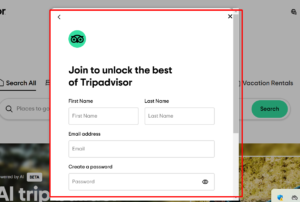
When you collect this information. You will start Citation. but remember it. If you are missing something, the citation does not count. Go to a business listing site like Yelp, Yelp pages, or TripAdvisor. Find out sing up option and provide some information. At last, sin up.
Contact us: WhatsApp