
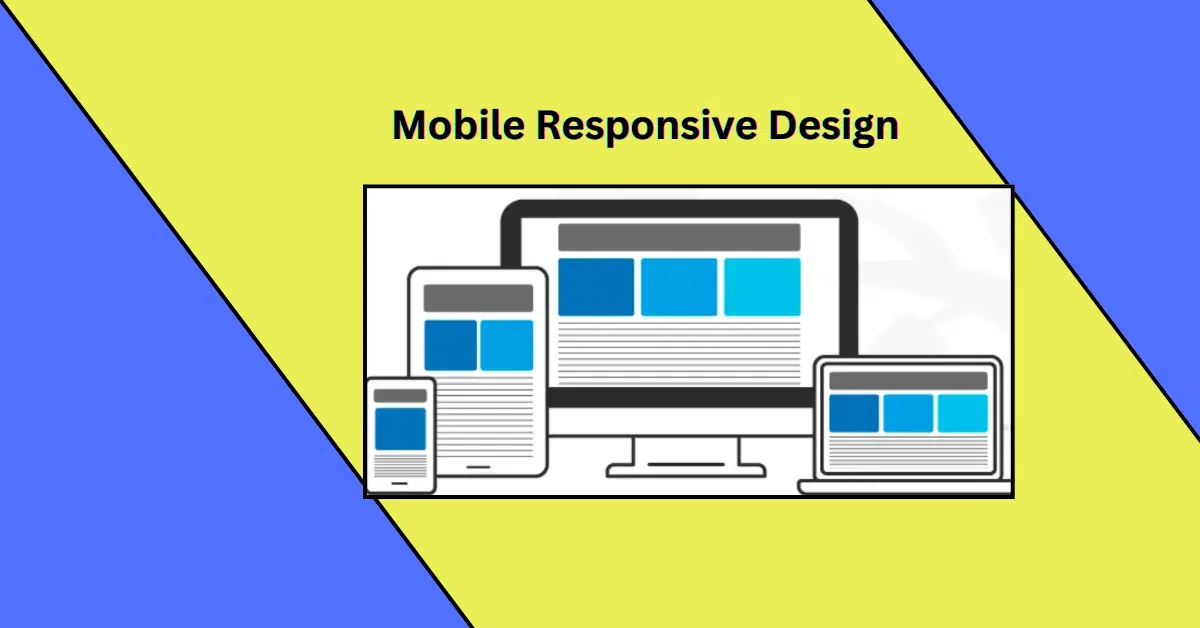
Where smartphones and tablets dominate online browsing, having a mobile responsive website is no longer optional. Whether you’re a small business owner or running a large enterprise, a mobile-responsive design can transform your online presence and provide a better experience for your users. We will explore the key benefits of mobile-responsive design and provide a comprehensive guide on implementing it for your website.
What is Mobile Responsive Design?
Mobile responsive design refers to a website’s ability to adapt its layout and content seamlessly to fit different screen sizes and devices, such as desktops, tablets, and smartphones. With a responsive design, your website will look and function optimally, regardless of the device used to access it.
Benefits of Mobile Responsive Design
Enhanced User Experience

A responsive website ensures that users can easily navigate and interact with your site, whether they’re on a smartphone, tablet, or desktop. It adjusts elements like text size, images, and buttons to provide a smooth and intuitive browsing experience. Happy users are more likely to stay on your site longer, explore your content, and take action.
Improved Search Engine Rankings
Google and other search engines prioritize mobile-friendly websites in their rankings. A responsive design helps boost your SEO performance, making it easier for potential customers to find you online. Google’s mobile-first indexing means that the mobile version of your site is considered the primary version for ranking purposes.
Increased Conversion Rates
When visitors can access your website seamlessly on any device, they’re more likely to convert. Whether it’s filling out a form, making a purchase, or signing up for a newsletter, a mobile-responsive design reduces friction and encourages users to take action.
Cost-Effective Solution
Rather than creating and maintaining separate websites for desktop and mobile users, a responsive design consolidates everything into one site. This saves time, resources, and money in the long run.
Faster Page Load Times

Speed matters. Responsive websites are designed to load quickly on mobile devices, which not only improves the user experience but also positively impacts search engine rankings. A faster site keeps users engaged and reduces bounce rates.
Broader Audience Reach
With more than half of global internet traffic coming from mobile devices, a responsive website allows you to tap into this growing audience. You’ll ensure your content reaches users no matter how they choose to browse.
Consistent Branding Across Devices
A responsive design ensures that your website’s look and feel remain consistent across all devices. This consistency reinforces your brand’s identity and builds trust with your audience.
Better Analytics and Reporting
Having a single, responsive website simplifies tracking and analyzing user behavior. You won’t need to compare data from separate desktop and mobile sites, making it easier to understand your audience and improve your strategy.
Future-Proof Design
Responsive websites adapt to various screen sizes and resolutions, ensuring they remain functional and visually appealing as new devices are introduced. This future-proof approach eliminates the need for frequent redesigns.
How to Implement a Mobile-Responsive Design A Step-by-Step Guide
Step 1: Choose a Responsive Framework
Many modern web development frameworks, such as Bootstrap or Foundation, are designed with responsiveness in mind. Using these tools can simplify the process of creating a responsive website.
Step 2: Optimize Images and Media
Large images and videos can slow down your website, especially on mobile devices. Use tools to compress images and ensure that media elements scale appropriately to fit different screen sizes.
Step 3: Use Flexible Grids and Layouts
Design your website with flexible grid systems that adjust dynamically to different screen sizes. This ensures that content is displayed appropriately, regardless of the device.
Step 4: Implement Media Queries
Media queries in CSS allow you to apply specific styles based on the screen size and resolution. This helps ensure that your site looks and functions perfectly on all devices.
Step 5: Test Across Devices
Before launching your website, test it on multiple devices and browsers to ensure it’s fully responsive. Tools like BrowserStack or Google’s Mobile-Friendly Test can help you identify and fix any issues.
Step 6: Prioritize Mobile Performance
Optimize your website’s loading speed by minimizing HTTP requests, enabling browser caching, and using a content delivery network (CDN). Mobile users expect fast-loading sites, so performance should be a top priority.
Step 7: Continuously Monitor and Update
Technology and user behavior are constantly evolving. Regularly monitor your website’s performance and update its design to keep up with trends and new devices.
Conclusion
A mobile-responsive design is more than just a trend; it’s a vital component of a successful online presence. By enhancing user experience, boosting SEO rankings, and increasing conversion rates, responsive design helps businesses stay competitive in a mobile-first world. Implementing a responsive website may require some effort upfront, but the long-term benefits are well worth it.
If you’re ready to upgrade your website with a mobile-responsive design, let Digiluxo help you create a site that works flawlessly on any device.