
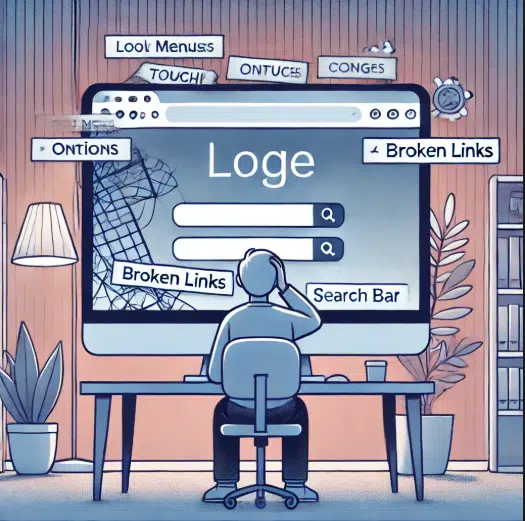
Regarding website design, poor navigation is a major issue that can harm the user experience and reduce conversions. Website navigation is how users interact with your site and find the necessary information. If it is confusing or difficult to use, visitors will leave and look for alternatives. This blog post will explore why navigation is important, common issues that lead to poor navigation, and simple tips to fix these problems.
Why is website navigation important?
Navigation plays a key role in user experience (UX). It helps visitors:
- Find information quickly.
- Understand the website structure.
- Complete actions easily (like purchases or form submissions).
Good navigation builds trust and keeps users on your website longer. Poor navigation frustrates users, leading to higher bounce rates and lost opportunities.
Signs of Poor Navigation
If your website has these issues, it may suffer from poor navigation:
- Confusing Menus: Menus with too many items or unclear labels.
- Broken Links: Links that lead to errors or wrong pages.
- No Search Bar: Missing a search function makes finding content harder.
- Hidden Important Pages: Key pages (e.g., Contact or About Us) are hard to locate.
- Overloaded Navigation Bar: Too many options make decisions overwhelming.
How Poor Navigation Affects SEO and Relationships
Poor navigation doesn’t only affect users; it impacts SEO too. Search engines like Google rank websites based on their structure. Broken links, unorganized menus, and missing internal links make it harder for search engines to crawl your site. This lowers your visibility in search results. Navigation also affects how users interact with your internal pages. For example, if your homepage doesn’t link properly to important pages like products or services, users will miss out on them. This breaks the relationship between your content and the user’s goals.
How to Fix Poor Navigation
Improving website navigation doesn’t have to be complicated. Here are some simple steps:
- Simplify Menus
Use clear labels and limit menu options. Group related items into categories to make the structure easier to understand. - Add a Search Bar
A search bar helps users quickly find what they need, especially on large websites. - Check for Broken Links
Regularly test and update links to ensure they work properly. - Use Breadcrumbs
Breadcrumbs improve navigation by showing users where they are on your site. - Optimize Internal Links
Link important pages within your content. For example, use anchor text like “read more about our services” to guide users to related pages. - Make Key Pages Visible
Ensure vital pages like Contact, About Us, and Services are easy to access from the homepage. - Test Across Devices
Ensure navigation works well on mobile, tablet, and desktop devices.
Conclusion
Poor navigation can damage your website’s usability, SEO, and visitor retention. By simplifying menus, fixing broken links, and adding search functionality, you can create a smooth and user-friendly navigation system. Strong navigation not only helps users but also strengthens your site’s relationship with search engines. Prioritize these improvements to keep your visitors engaged and improve your online presence.